Mail merge with a different attachment for each person
The short answer
Neither of Microsoft's own mail merges can give each person a different file. Word's instructions say "You cannot add attachments, but you can include links." The new Outlook's Start mail merge sends copies of one email, so everyone gets whatever is attached to it.
To send each person their own certificate or invoice, you need a Power Automate flow you build yourself, or an add-in that reads file names from your list.
What about Word for Mac?
Word for Mac has a "send as attachment" choice, but it does something else. Microsoft's page says "the email has no body text; instead, the message is sent as an attached document." The attachment is the merged letter itself, made from your Word document, so it's no help for sending a PDF you already have for each person.
Set up your list first
However you send, the list is where this goes right or wrong. A setup that works:
- Put every file in one folder, and name each one so you can tell it apart at a glance, like
invoice-1042-chen.pdf. - Add a column called Attachments, and type each person's file name on their row. Leave it blank for anyone who gets no file.
- If someone gets two files, put both names in the cell with a semicolon between them.
- Before sending, check that every name in the column matches a file in the folder, and that no file is listed on two rows by mistake.
A wrong attachment is the one mail merge mistake you can't take back, since it sends one person's details to someone else. Open a few of the finished emails, or send them to yourself, before the real run.
Size limits
For work and school mailboxes on Microsoft 365, the default largest email you can send is 35 MB, files included. An admin can raise it as high as 150 MB. What gets through also depends on the mail system at the other end, so a few MB per email is the safer size.
Doing it with Power Automate
A Power Automate flow can read each row of a list, fetch that row's file from OneDrive or SharePoint, and send an email with it. The Office 365 Outlook connector it uses is a standard connector, so a work or school account can run it with the free license. Microsoft's connector page mentions a known issue: "when using Send an email V2 to send multiple attachments, the resulting files may be invalid." It suggests collecting the files in an array variable first.
It works, but you build the flow and test it yourself, and the files have to be in OneDrive or SharePoint for the flow to reach them.
How Axonite Mail Merge does it
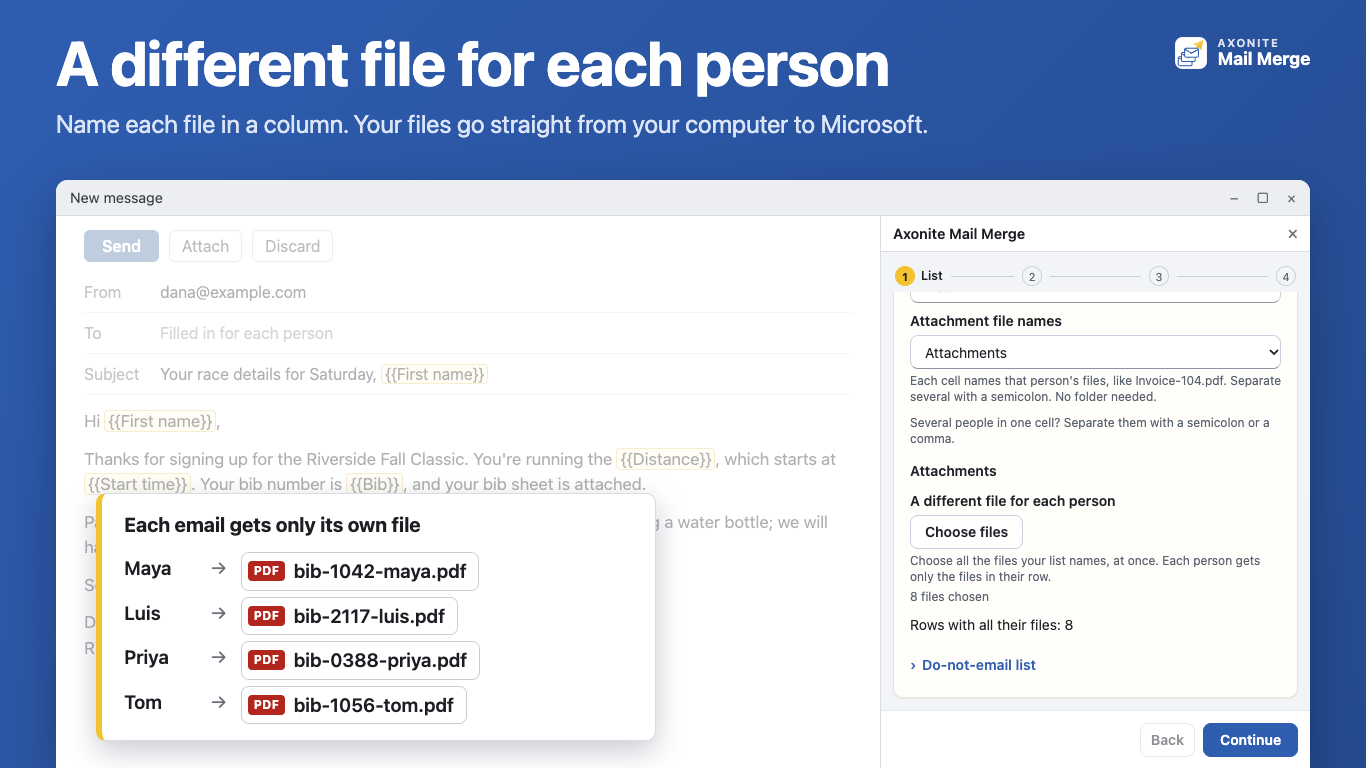
Axonite Mail Merge reads the Attachments column described above. You choose the files from your computer once, and each email gets only its own. Matching ignores upper and lower case, and the extension can be left off. Before you preview anything, it shows which files matched and which are missing, and you decide whether rows with a missing file are skipped or hold up the send.
The files go straight from your computer to Microsoft and never pass through our servers. Files attached to your draft still go to everyone, so you can send a shared flyer plus each person's own invoice.
It runs as an add-in in Outlook and as a web page. It's free for up to 25 people a day. See what it does and what it costs.